Fang-Robotics-MCB
Fang Robotics Team Codebase
Loading...
Searching...
No Matches
tap::communication::referee::StateHUDIndicator< T > Class Template Reference

#include <state_hud_indicator.hpp>

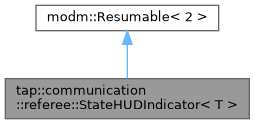
Inheritance diagram for tap::communication::referee::StateHUDIndicator< T >:
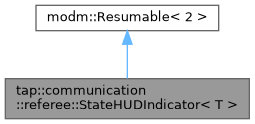
Collaboration diagram for tap::communication::referee::StateHUDIndicator< T >:

Public Types

using UpdateHUDIndicatorState = void(*)(T state, tap::communication::serial::RefSerial::Tx::Graphic1Message *graphic)
 

Public Member Functions

 StateHUDIndicator (tap::communication::serial::RefSerialTransmitter &refSerialTransmitter, tap::communication::serial::RefSerial::Tx::Graphic1Message *graphic, UpdateHUDIndicatorState updateFunction, T initialState)
 
modm::ResumableResult< bool > initialize ()
 
modm::ResumableResult< bool > draw ()
 
void setIndicatorState (T newIndicatorState)
 

Static Public Attributes

static constexpr uint32_t MIN_UPDATE_PERIOD = 500
 

Detailed Description

template<typename T>
class tap::communication::referee::StateHUDIndicator< T >

Draws a graphic. Each graphic has an associated state (of type specified by the template parameter). Can be true/false, some enumeration type, or something else. When the state associated with this object is updated, a function is called in which the user can update the graphic based on the state. In this way, the user may select to update color or shape of a graphic based on the indicator's state.

To use this drawer, pass in a Graphic1Message object that you must configure via calls to configGraphicGenerics and config<circle|line|etc.>.

Note
initialize should be called once at the start of a protothread being used to write graphic information to the referee system and draw should be called repeatedly, and will either resend the graphic if the color has changed or do nothing.

Usage:

To construct some StateHUDIndicator<bool> indicator you must pass it an UpdateHUDIndicatorState function. For example, the function can be something like this:

void updateColor(bool state, Tx::Graphic1Message *graphic) {
graphic->graphicData.color = indicatorStatus ? GREEN : YELLOW;
}

Assuming some Tx::Graphic1Message graphic has been declared, to use the indicator, calls to initialize and draw must be done in a prothread similar to the following. It is recommended you put PT_YIELD in protothread loops to avoid infinite looping since the indicator's draw function is not guaranteed to block:

PT_CALL(indicator.initialize());
while (true)
{
PT_CALL(indicator.draw());
PT_YIELD();
}
// Initialize the declare a drawer
Template Parameters
TType of the state associated with the HUD indicator.

Member Typedef Documentation

◆ UpdateHUDIndicatorState

template<typename T >
using tap::communication::referee::StateHUDIndicator< T >::UpdateHUDIndicatorState = void (*)(T state, tap::communication::serial::RefSerial::Tx::Graphic1Message *graphic)

Function pointer, this type of function will be called when the state of the graphic needs updating. Expected that the user will update the graphic appropriately based on the current state.

Constructor & Destructor Documentation

◆ StateHUDIndicator()

template<typename T >
tap::communication::referee::StateHUDIndicator< T >::StateHUDIndicator ( tap::communication::serial::RefSerialTransmitter refSerialTransmitter,
tap::communication::serial::RefSerial::Tx::Graphic1Message *  graphic,
UpdateHUDIndicatorState  updateFunction,
initialState 
)
inline

Member Function Documentation

◆ draw()

template<typename T >
modm::ResumableResult< bool > tap::communication::referee::StateHUDIndicator< T >::draw ( )
inline

◆ initialize()

template<typename T >
modm::ResumableResult< bool > tap::communication::referee::StateHUDIndicator< T >::initialize ( )
inline

◆ setIndicatorState()

template<typename T >
void tap::communication::referee::StateHUDIndicator< T >::setIndicatorState ( newIndicatorState)
inline

Member Data Documentation

◆ MIN_UPDATE_PERIOD

template<typename T >
constexpr uint32_t tap::communication::referee::StateHUDIndicator< T >::MIN_UPDATE_PERIOD = 500
staticconstexpr

The state HUD indicator will ignore calls in setIndicatorState MIN_UPDATE_PERIOD ms after setIndicatorState is drawn. This is to avoid rapid back and forth updating of the graphic.


The documentation for this class was generated from the following file: